NEW Advanced batch file renamer for Windows and Mac

A Minimal and Powerful Batch File Renamer

Renamer is a lightweight, native batch file renaming tool for Windows and macOS. Use custom patterns, live preview, and over 100 flexible options to safely organize files and folders in seconds.

Works on Windows and Mac 100+ powerful rename options Live preview before renaming
๐Ÿงฉ Custom patterns and rules
๐Ÿ”Ž Preview every change safely
๐Ÿ›Ÿ File safe โ€“ renames only
Core features

Efficient File and Folder Renamer With 100+ Customizations

Renamer combines a minimal, modern interface with powerful rename rules. Stack multiple actions, preview results in real time, and apply changes when everything looks right.

โšก

Batch rename at scale

Rename thousands of files and folders in a single run without slowing down your workflow using safe background threads.

Photos, videos, music, documents and more
๐Ÿง 

Flexible patterns

Combine prefix and suffix, case conversion, sequential numbering, advanced find and replace, and regular expressions.

100 plus customization options
๐Ÿ›ก๏ธ

Safe by design

Files are never deleted. Renamer only changes names and keeps everything local on your device for privacy.

100 percent safe batch rename tool
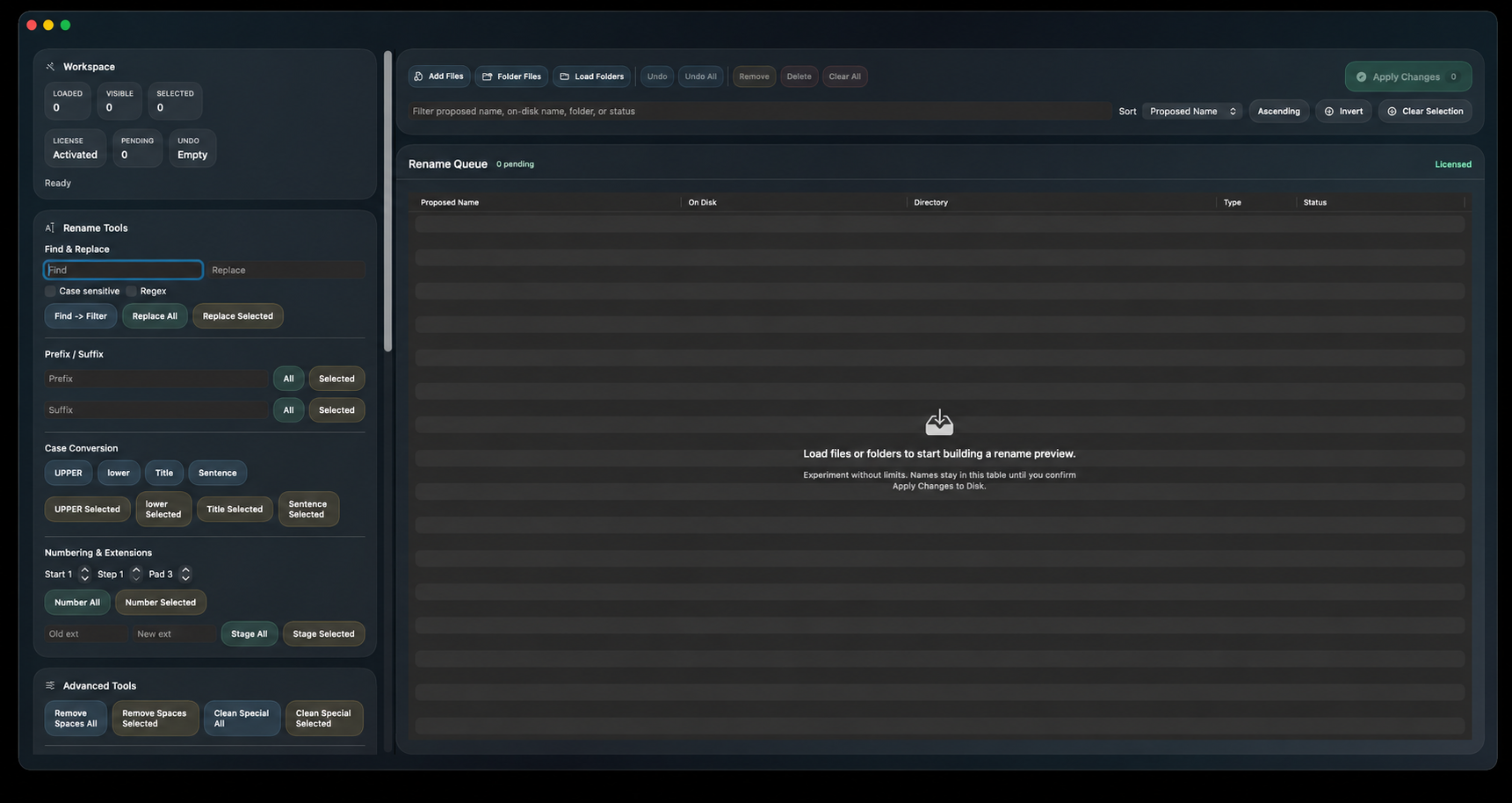
Renamer for Mac screenshot
๐ŸŽ

File Renamer for Mac

Renamer for Mac gives you a clean, native macOS experience for bulk file renaming. Build rename rules visually and see changes instantly before renaming.

  • Lightweight, native Mac interface
  • Rename files and folders in your projects and libraries
  • All operations run locally for privacy and speed
๐ŸชŸ

Bulk File Renamer for Windows

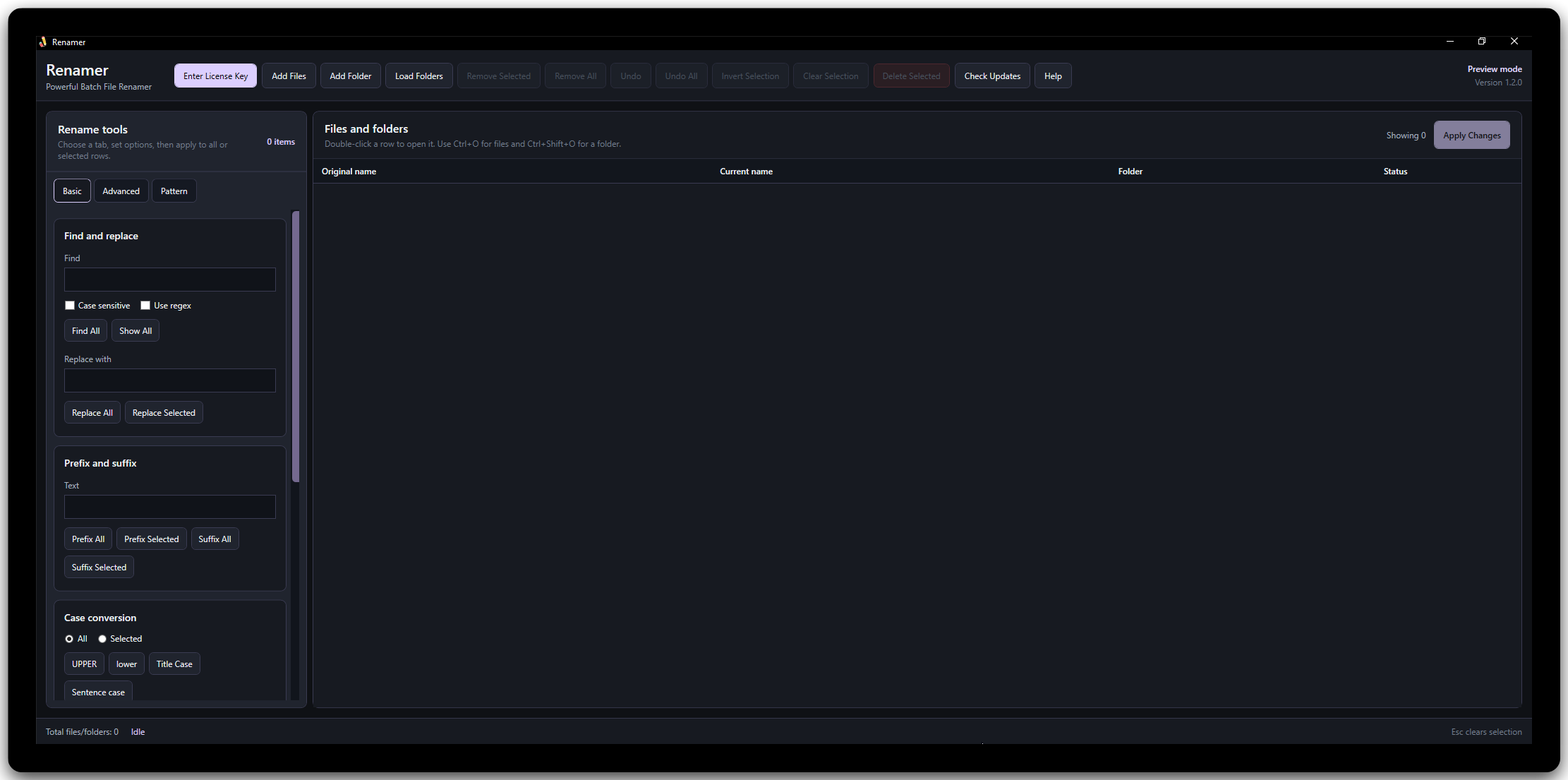
Use Renamer on Windows for fast and reliable batch file renaming with a native interface. Apply multiple rules, sort by patterns, and keep complex libraries organized.

  • Advanced batch file renamer for Windows
  • Rename folders, photos, music and documents together
  • Live preview before you commit changes
Renamer for Windows screenshot
Everything included

All Renamer Features at a Glance

Every feature is included in both plans. The free version is only limited by file count, not functionality.

Add prefix Attach custom text at the beginning of filenames.
Add suffix Append custom text to the end of filenames.
Find and replace Replace or remove any text inside filenames.
Trim whitespace Remove accidental spaces from names instantly.
Remove characters Strip unwanted symbols or text patterns.
Change case Convert names to lower, upper or title case.
Sequential numbering Add auto numbering to sort files properly.
Custom counters Configure padding, steps and start values.
File extension editor Change file extensions safely.
Folder renaming Rename full directory structures together.
Regex support Perform advanced pattern matching operations.
Live preview See the final name before applying changes.
Metadata tokens Insert file properties into names.
Date and timestamps Add current or file dates into filenames.
Filename reordering Move text segments inside names easily.
Text extraction Extract substrings into new filenames.
Undo support Revert a rename batch safely.
Image batch rename Organize photo libraries automatically.
Audio tag rename Rename music using embedded metadata.
Safe preview mode No changes until you confirm.
How it works

Mass Rename Files in Three Simple Steps

Whether you are cleaning up photo folders, music libraries, or project assets, Renamer keeps the workflow clear and predictable from start to finish.

1
Add files and folders

Add entire folders or select individual files. Renamer lists them instantly and lets you filter by name or file type.

2
Build your rename rules

Combine simple or advanced rules. Add prefixes and suffixes, convert case, insert numbers, or run regular expression replacements.

3
Preview and apply

Review live previews of every new name, confirm that everything looks correct, then apply the rename with a single click. Files stay in place and only names change.

Tip: you can refine rules as many times as you like before committing.
Pricing plan

Simple and Straightforward Pricing

Start with the free plan for basic file renaming, then upgrade to a paid license when you need more power and device activations.

Free

Try all features with file limit

Free

Includes all premium tools. Limited to 10 files per operation.

  • โœ“ All rename features included
  • โœ“ Regex and advanced rules
  • โœ“ Live preview
  • โœ“ Folder renaming
  • โœ“ Limited to 10 files per batch
Best value

Standard

Unlimited power with permanent access

$39.99 one time

No subscriptions. No file limits. Lifetime ownership.

  • โœ“ Rename unlimited files per batch
  • โœ“ All advanced rename modules enabled
  • โœ“ Commercial and business usage rights
  • โœ“ Use across personal and work machines
  • โœ“ Advanced regex and pattern engine
  • โœ“ Custom counters, tokens and variables
  • โœ“ Metadata based renaming for images
  • โœ“ Undo history and recovery protection
  • โœ“ Lifetime updates for your version
  • โœ“ Priority email support
  • โœ“ 3 device activation included
Help & Support

Frequently Asked Questions

Answers to common questions about Renamer, how it handles files, and what to expect from batch renaming on Windows and Mac.

Renamer is an advanced, lightweight batch file renamer for Windows and Mac. It helps you rename many files and folders at once using patterns, rules, and live previews.

No. Renamer is a rename only tool. It changes names but does not delete files or move them to other folders, which keeps your data safe.

Yes. Renamer shows a live preview of the new names for every file. Basic renaming applies changes immediately when you click the button, without a preview, but it includes **Undo** and **Undo All** options to revert changes if needed. For advanced renaming, you can adjust rules and review the preview until everything looks correct before applying the changes.

Renamer is available for both Windows and macOS. Each version is designed to feel native on your system.

File operations happen locally on your computer. Renamer does not need to upload your files to rename them.

Yes. Renamer supports advanced find and replace with regex for complex renaming scenarios and power users.

Renamer is built to handle large batches, including thousands of files, depending on your system resources and disk speed.

Yes. You can include folders in your selection and apply the same or separate rename rules to them.

No. Renamer works entirely offline on your local machine. Your files, folders, and filenames are never uploaded, scanned, or sent to any server.

Yes. Renamer is designed with safety in mind. It previews all changes before applying them and only modifies filenames, not file contents or locations.

Yes. Renamer provides a live preview so you can review all filename changes before applying them. This helps prevent mistakes and unwanted renames.

Yes. Renamer is optimized to handle large batches of files and folders efficiently, making it suitable for photographers, developers, and power users.

No. An internet connection is not required for renaming files. Internet access is only needed for downloading the app, activating licenses, or receiving updates.

Yes, Renamer includes built-in safeguards such as previews and confirmation steps, along with both Undo and Undo All options to easily revert changes. However, we recommend backing up important files before performing large rename operations.

Renamer offers simple licensing options. The Standard license is a one time purchase that includes lifetime access to the version you buy, with no recurring fees.

No. Renamer is a lightweight native application designed to use minimal system resources, even when processing large batches of files.

Yes. Renamer is designed for both personal and professional use, including photographers, developers, content creators, and businesses.
Guides & tutorials

Learn more about batch file renaming

Step by step articles show how to use Renamer and how to organize your file system with bulk renaming on Windows and Mac.

Performance

Batch file renamer guide

Best practices for using a batch file renamer to keep projects, photos and downloads tidy.

Organization ยท Best practices
Need help?

Questions about Renamer or your license

Reach out via the contact page if you need help with downloads, licenses, or using Renamer with large file sets.

Support email: support@renamer.io

โœ‰ Contact support